He probably has other concerns like weight since he doesn't need/want a wireless mouse. (Who wants to bother with batteries anyway when the mouse is always plugged into a Desktop PC?)
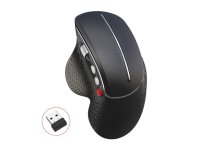
Not sure if you think thins mouse is wireless; it's a wired mouse. It would be my dream mouse if it was optionally wired and wireless with a micro usb plug in (as long at there's no response-time sacrifice).
How often do you accidentally hit side buttons?
Never. I truly don't recall a single time where I
accidentally hit the buttons on the side; there is ample room below the buttons to comfortably rest my thumb, and grip the mouse if need be; to be more specific, my thumb sits just in front of the front keys (G9, G10, and G11). This mouse is different from the one that Ross mentioned in the video btw. I think logitech's goal was "no frills" with this gaming mouse. I bought this mouse instead of those fancy colorful ones because it looked like logitech took itself more seriously. Anyways, the closest I've came to accidentally hitting a button is me pressing the wrong button when I'm trying to do something too fast. But Ross is a mutant, and maybe he holds his mouse weird, idk.
How do you think this compares to the Logitech G502 Hero?
I have the mouse I have because it has maximum programmable buttons. The G502 says it only has 11 programmable buttons, and I'd feel like that's a downgrade. I really, really like all my buttons. That being said, I'm not sure just how ergonomic the spread out button concept is - it could work, I'm simply not familiar with it. My guess is though that it doesn't allow you to hold your mouse properly when trying to reach for the buttons. I know Ross wanted to use all his fingers, but aside from a single button on the other side for my pinky to cycle through desktops I'm not sure I want any buttons on that side; mainly for holding my mouse in place, and if that solid surface wasn't there THEN I might be accidentally hitting some buttons. Again, it's something that could work, but like Ross, I can't have everything I want in a mouse either. I have called up Logitech many times and suggested that they expand upon the G600 with different shapes and some more buttons. The G502 looks ok if you don't want all the buttons.
How is the weight and the grip of the mouse? (Is hard to pick up and move with the side buttons? Do the buttons add extra bulk?)
I kinda covered this above, but I have never had problems with the weight of any mouse, so that might be something you have to try for yourself; it's simply never come into play for me. However, I will say that the mouse is very smooth along my table, and it's accurate. I mentioned the grip above as well, but I can expand a little by saying there's a bump surface where my pinky rests, which does help with grip, and where my thumb sits the surface is contoured just enough to allow one to "get under" the mouse a bit to assist in picking it up. Also, when I hit the G button with my ring finger it has a groove that fits my ring finger in it, and I can squeeze the mouse the little bit needed for when my thumb is reaching for the side keys closest to my wrist (G18, G19 and G20). The buttons do not add extra bulk as they're recessed into the mouse a bit; if one looks at it from the bottom only a portion of the G9 key sticks out.
I also just noticed that when I hit the left and right buttons for the scroll wheel that I use my pinky, yet again, to hold the mouse in place. That being said, Ross should know that if you have to move your pinky off a button to the side just to hit that right scroll wheel button you're probably going to lose some speed, and - I'm telling you, I'm fast with this mouse. I'm constantly popping between windows, tabs, copying, pasting, accessing my menu bar, desktop, backspacing, deleting, hitting enter, refreshing pages, and all the other buttons. You want that speed, like you said in your video.